

Do solo developers need a CRM? What to track, and what to skip
A CRM sounds like a sales-team tool. For a solo developer, a small one is the difference between remembering every client and losing work to a forgotten follow-up. Here is the minimum worth keeping.
4 min read
Ask a room of freelance developers whether they use a CRM and most will say no. Ask them whether they have ever lost a project because they forgot to follow up, and most will say yes.
That is the whole case for a CRM when you work alone. Not pipelines and forecasts, just a reliable memory for every person you work with or might work with.
What a CRM is for, when you are one person
A CRM (customer relationship management tool) is a list of people and companies, plus the history of what you have done with each. For a sales team it drives forecasts. For a solo developer it answers four everyday questions:
- Who do I need to get back to this week?
- What did I promise this client, and when?
- Which leads are still warm?
- Which past clients have gone quiet and might have more work?
If your current setup can answer those in under a minute, you may not need anything else. If the answer lives across your inbox, your notes app and your memory, a small CRM will pay for itself the first time it saves a follow-up.
The minimum worth tracking
Keep the record small enough that you will actually update it.
People and companies
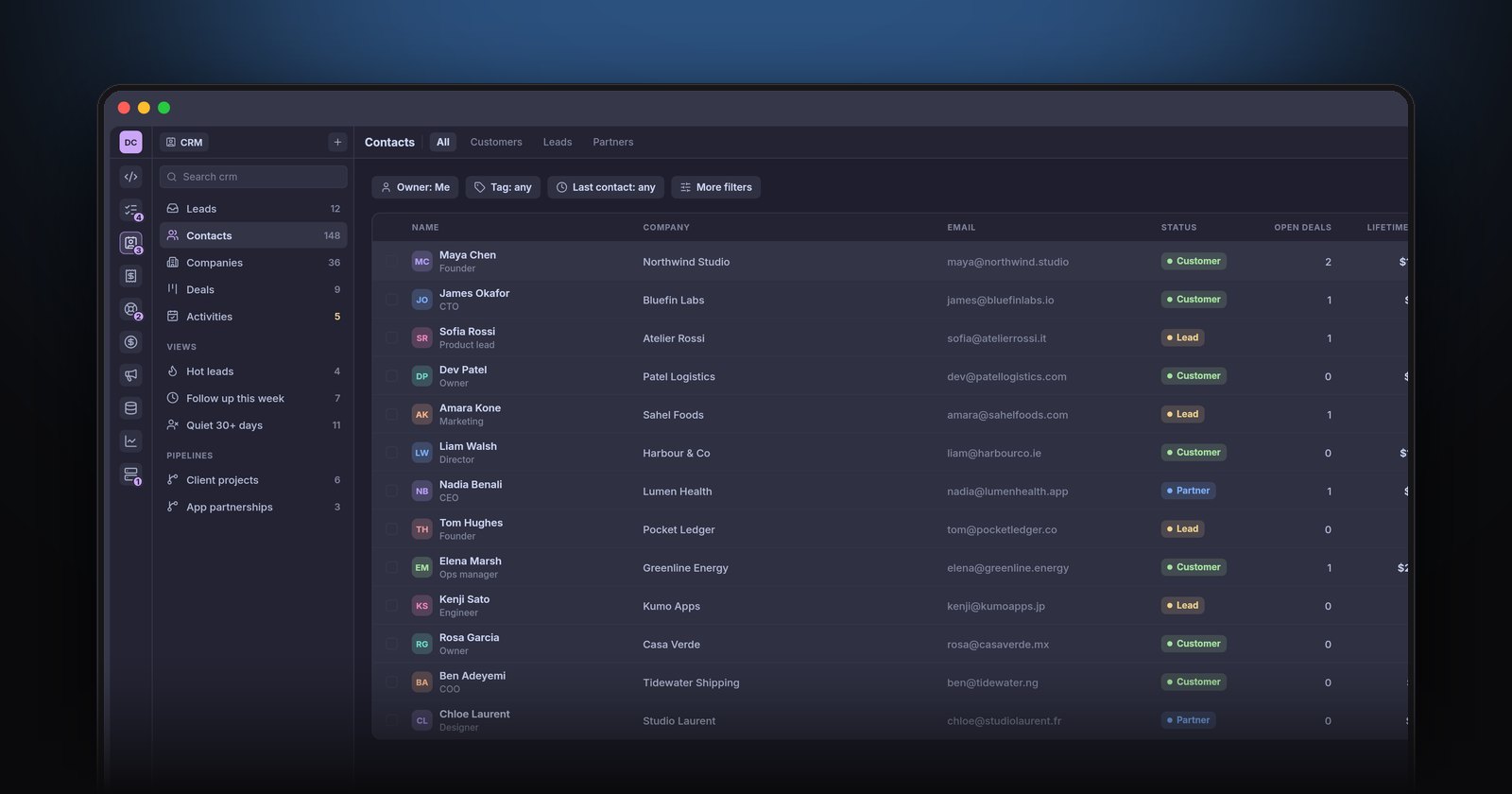
Name, email, company, role, and a status: lead, customer or partner. Link each person to their company so a second contact at the same client does not start from scratch.
A timeline per client
Every email, call note, quote, invoice and support ticket for that client, in date order. This is the single most useful view in a CRM. Before any call you can scroll it and know exactly where things stand.
Deals
A deal is a piece of work you might win: a project, a retainer, an app partnership. Give it a value, a stage and an expected close date. Four or five stages are plenty: new, talking, proposal sent, won, lost.
Next steps
Every open lead and deal should have one next action with a date. That is what turns a list into a follow-up system.
The views that matter
You do not need dashboards. You need three saved views:
- Follow up this week — everyone with a next step due in the next seven days.
- Hot leads — open deals in the later stages.
- Quiet for 30+ days — customers you have not talked to in a month. These are your cheapest source of new work.
What to skip
Most CRM features are built for teams. When you work alone, skip:
- Lead scoring. You know which leads are good.
- Sequences and mass email. Write to people as a person.
- Forecasting. A weighted total of your open deals is enough.
- Custom objects and complex fields. If you would not fill a field in for every client, do not create it.
Keeping it up to date without trying
A CRM fails when updating it is a chore. Three things help:
- Connect it to the rest of your work. If invoices, payments and support tickets land on the client's timeline automatically, the record stays current without typing.
- Log calls in one line. "Call — wants the API by March, budget around 8k" is enough.
- Review once a week. Ten minutes on Monday with the follow up this week view.
Spreadsheet, standalone CRM or all-in-one?
A spreadsheet works for your first handful of clients, but it cannot hold a timeline and it will not remind you of anything. A standalone CRM solves that but adds another login and another place your invoices are not. Big platforms are built for sales teams and charge per seat as you grow; we compare one in HubSpot alternatives for solo developers.
The middle path is a CRM that shares its records with your invoices and support, so the client timeline fills itself. That is how the CRM in NabuOne works: contacts, companies and deals, a timeline with every email, invoice and ticket, a weighted deals board, and follow-up and quiet-client views. You can import contacts and companies from a CSV, which most CRMs export.
The short version
If you work alone, keep a CRM small: people, companies, deals, a timeline and a next step for everything open. Review it weekly. Let your invoices and support tickets fill in the history. That is enough to stop losing work to a forgotten email. For the rest of the solo-business setup, see how to run a software business on your own.