

Error tracking and uptime monitoring for indie developers
You should hear about a crash or an outage before your users do. The small monitoring setup a solo developer needs: error tracking, uptime checks, sensible alerts, and a link from every error to the people it hit.
3 min read
When you run software on your own, nobody else is watching it. If the API goes down at 2am or a new release crashes on one kind of phone, the first report is often an angry email or a one-star review.
You do not need an observability platform to fix that. You need two things, set up well: error tracking and uptime checks, plus alerts that only fire when something actually needs you.
Error tracking: know what broke, where, and for whom
An error tracker catches unhandled exceptions and crashes in your apps and servers, groups identical ones together, and shows you the stack trace, the release, the device or browser, and how many users were hit.
What to set up
- Install the SDK in every app and service: web front end, back end, mobile apps, background jobs.
- Tag the release on every build, so you can see which version introduced an error and whether a fix worked.
- Upload source maps or debug symbols so stack traces point to your real code, not minified bundles.
- Attach a user or account id (not personal details) so you can connect an error to the customer who reported it.
- Filter out noise: browser extensions, bots and known harmless errors.
Hosted or self-hosted?
Hosted services are the quickest start and many have a free tier for small projects. Self-hosted options exist too, and some are compatible with the widely used Sentry SDKs, which is handy if you already run a server and want to keep data on it. Either is fine for a solo developer; what matters is that every app reports somewhere you look.
Uptime checks: know when it is down
An uptime check requests a URL on a schedule and alerts you when it fails.
- Check what users actually hit: the home page, the API health endpoint, the login page, the webhook endpoint your payment provider calls.
- Make health endpoints honest. A health check that returns 200 while the database is down is worse than none. Have it touch the database and any critical dependency.
- Check from outside your own network, so you see what users see.
- Watch TLS certificate expiry. An expired certificate takes a site down as surely as a crash.
- Keep an eye on the server itself: disk filling up, memory pressure and containers restarting are early warnings.
Alerts that do not ruin your evenings
Too many alerts and you start ignoring them. A few rules keep them useful:
- Alert on new errors, not every error. A new error type in the latest release is worth a notification. The thousandth occurrence of a known one is not.
- Alert on spikes, such as an error suddenly happening ten times more often than usual.
- Require two failed uptime checks before alerting, to avoid blips.
- Send urgent alerts to your phone, everything else to a daily digest.
Connect errors to support
This is the step most setups miss. When a customer writes in about a bug, you want to see the matching error, with its stack trace and release, without searching. And when you ship a fix, you want to tell every customer who reported it.
That means your error tracker, your support inbox and your client records should share an identity for each user or account. We describe the support side in treating store reviews as support tickets.
How NabuOne handles it
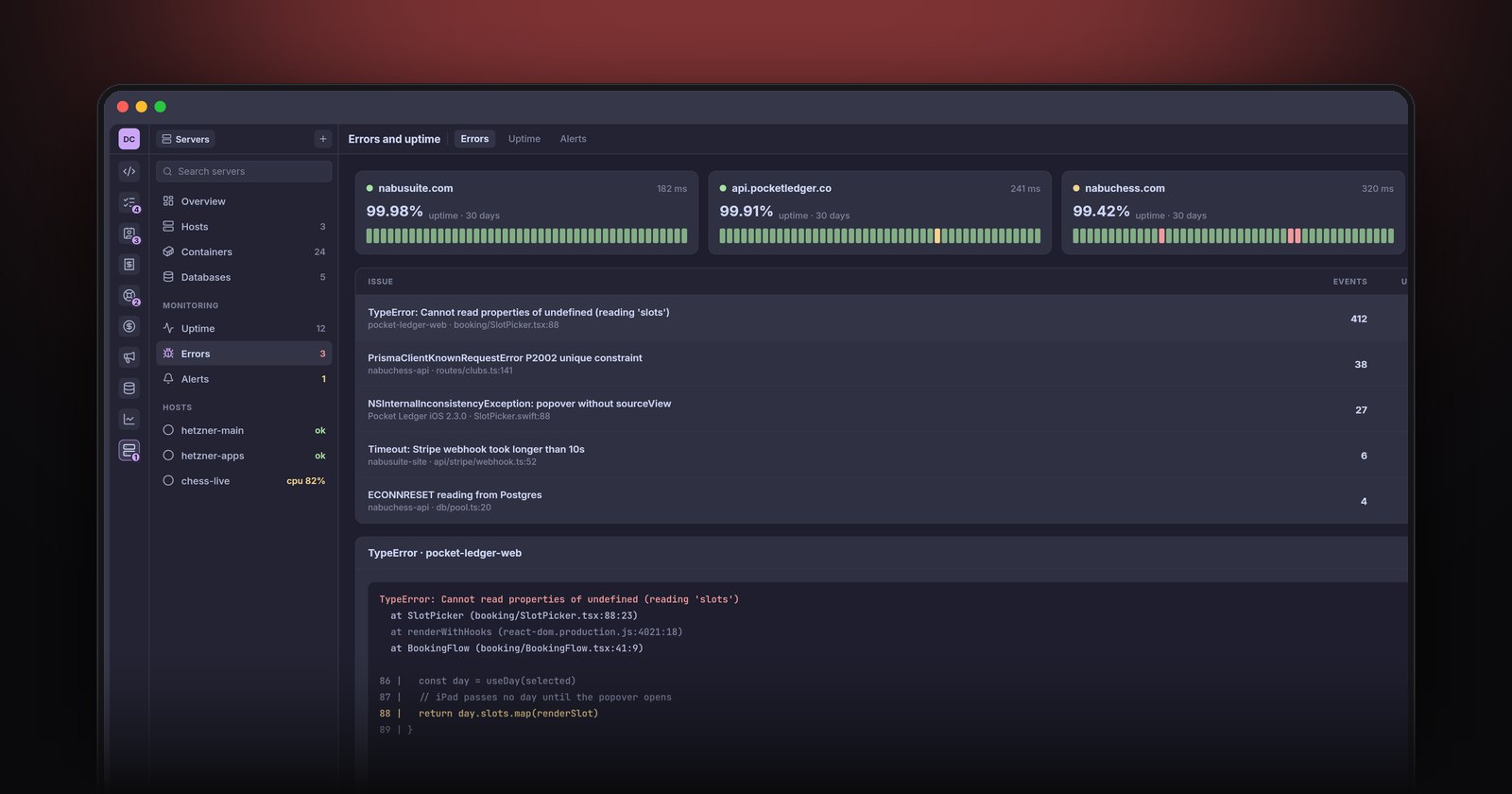
The Servers module in NabuOne shows crash reports and uptime checks together, and links errors to the support tickets they cause, so a ticket arrives with its stack trace attached. From there, a coding agent can reproduce the bug, write the fix on a branch and run the tests, while you draft the reply to the customer.
The short version
Put error tracking in every app with releases tagged, add honest uptime checks on what users actually use, alert only on new errors, spikes and confirmed outages, and link errors to the customers they affect. It is an afternoon of setup that saves you from finding out about problems from a review. For the rest of the solo setup, see how to run a software business on your own.